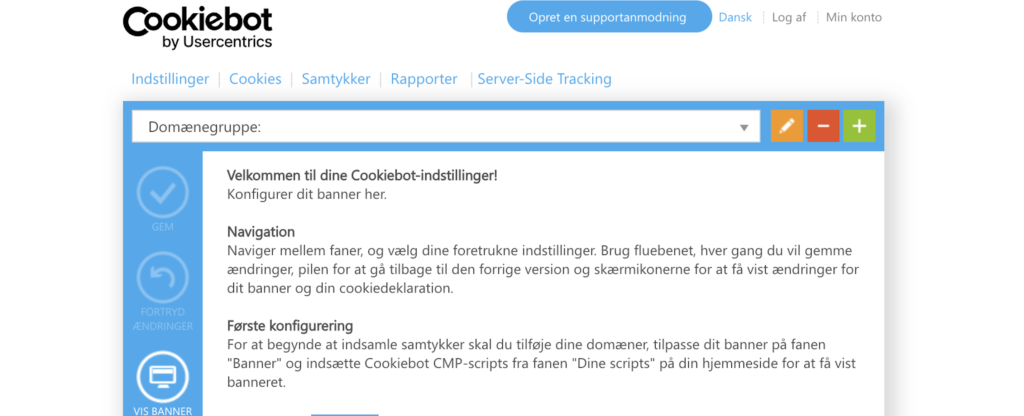
What is Cookiebot?
Cookiebot is a Consent Management Platform (CMP) from Usercentrics. It provides an overview of cookies and trackers and helps obtain, store, and document visitors’ consent. The solution typically integrates cookie banners, consent notices, and tracking.
Cookiebot does not, on its own, determine whether your website complies with the rules. It depends on the technologies used on the site, the banner’s design, and whether the tags respect the user’s choice. The Danish Agency for Digitization emphasizes that, as a general rule, consent must be obtained before collecting statistics and displaying personalized ads. Technically necessary technologies may be exempt.
In shortCookiebot can help you organize your consent and cookie overview. The correct setup must still be consistent across your website, your tracking, and the purposes for which you actually use the data.
How Cookiebot Works in Practice
A CMP must do two things at the same time: give the user a real choice and provide the company with a record of compliance. Cookiebot breaks the process down into four parts, which must be continuously updated as your website changes.
Finds cookies and trackers
Cookiebots' scanner scans the website and categorizes the technologies it finds. This provides an operational starting point, but new scripts, campaign pages, and third-party content must still be included in the audit.
Calling for a vote
The banner allows the user to accept, reject, or select categories. The option must be displayed before non-essential technologies are allowed to set or read data.
Saves the selection
Consent is recorded so that you can document the user’s choice. The user must also be able to change or withdraw their consent without unnecessary friction.
Keeps the overview up to date
The cookie statement typically lists categories, purposes, providers, and duration. It is based on the most recent scan and can be embedded on a dedicated page or within an existing policy.
A cookie banner and a cookie policy do not serve the same purpose
These two elements are often confused. The banner is the interface where the user makes their selection. The declaration shows which technologies are used and allows the user to revisit their consent. If you only have one of these in place, an important part of the whole is missing.
| Share | Purpose | You should check this |
|---|---|---|
| Cookie Banner | Seeks an active and informed choice before enabling non-essential tracking. | That the "Cancel" button is accessible, that the categories are easy to understand, and that the design does not force the user in a particular direction. |
| Cookie Policy | Explains the technologies found on the site, as well as their purpose and duration. | That it keeps up with the latest scans, and that the user can find it without having to look for it. |
| Tag Setup | Translates the consent form for practical verification of GA4, Google Ads, and other technologies. | That tags do not fire until consent is given, when required, and that the signals in Google Tag Manager correspond to the banner's selection. |
How Cookiebot Integrates with Google Tag Manager and Consent Mode v2
Cookiebot serves as the link between the consent a visitor provides via the banner and the tags that are actually fired on the site. The solution can be set up in two ways: either as a script directly in the website’s head section, or managed via a template in Google Tag Manager. If your tracking is already centralized in Google Tag Manager, the GTM approach is typically preferable because it centralizes consent and tag management in one place, making it easier to see which tags are actually contingent on which consent.
Before any of this makes sense, you need to understand what actually sets data and reads cookies on the site: GA4, Google Ads, a Meta pixel, chat solutions, video players, and other third-party content. Without that overview, it’s impossible to know what the consent should actually control. From there, the banner is linked to Consent Mode v2, which is controlled by a fixed set of signals:
| Signal | Manager |
|---|---|
ad_storage | Advertising cookies may be set and read. |
ad_user_data | Whether user data may be sent to Google for advertising purposes. |
ad_personalization | Whether data may be used for personalized advertising, such as remarketing. |
analytics_storage | Cookies used for statistics and measurement, such as GA4, may be set and read. |
Cookiebot must send the right signals at the right time so that tags in Google Tag Manager only fire the actions the visitor has actually consented to. A banner configuration may look correct in the browser but still be incorrectly linked to the tags behind it, so the setup must be tested before the numbers can be trusted. Test both acceptance and rejection, and keep track of which calls are actually being sent. This is an integral part of a tracking audit, where we take a close look at the relationship between consent, data governance, and data quality.
Cookiebot vs. Cookie Information
Cookiebot and Cookie Information Both are widely used CMPs on Danish and European websites, and in practice they serve the same purpose: scanning, banners, consent, and disclosure must align with the tag ecosystem actually running on the site. Cookiebot is a solution from Usercentrics with proven integration with Google Tag Manager and Consent Mode, and it’s often used by companies that need to manage multiple markets, languages, or domains within the same setup. Cookie Information is a Danish provider that many choose when local context, Danish support, and advice tailored to Danish and Nordic conditions are high priorities.
None of the solutions is the right choice in and of itself, and they should be evaluated based on the same criteria: how accurately the scan identifies the technologies that actually set cookies, how transparently the banner presents the choice, how up-to-date the declaration is kept, and how reliably the consent is translated into actual tag management in Google Tag Manager. The right choice therefore depends on your specific setup rather than on a general recommendation: which markets and languages you cover, which tools are already in use, and how much weight you place on Danish guidance versus international scalability.
Start with the cookies and trackers you actually use. If you want to handle consent, measurement, and activation, the CMP must be viewed in relation to your work with tracking and data.
Is Cookiebot the right choice for you?
Cookiebot will be relevant for many commercial websites that use analytics tools, advertising technologies, or embedded third-party content. The need is less if your website only uses technically necessary technologies. The key question is not whether you have a banner, but whether the banner, the disclosure, and the tags all reflect the same reality.
- How many domains, subpages, and languages should the solution support?
- Which tags, pixels, and third-party services are currently in use, and what purposes do they serve?
- If you use GA4, Google Ads, and Google Tag Manager, will Consent Mode v2 actually work?
- Who is responsible for testing new campaigns, plugins, and scripts when the site changes?
The CMP election is just the beginning
A CMP can provide the necessary structure. It does not, on its own, resolve conflicts between banners, tag managers, and data collection. The value lies in the fact that the setup is tested and maintained as your website evolves.
Frequently Asked Questions About Cookiebot
Is Cookiebot free?
Cookiebot offers both a free plan and paid plans. The best option for you depends, among other things, on the size of your website and the features you need. Always review the current plan and its terms and conditions on the Cookiebot website before making a choice.
How does Cookiebot integrate with Google Tag Manager?
Cookiebot can be installed using a script in the website's head section or via a template in Google Tag Manager. When using GTM, the banner's consent signals must be linked to the tags that require consent, and the solution should be tested for both acceptance and rejection.
Cookiebot vs. Cookie Information: Which Should I Choose?
Both solutions can be used for cookie consent and documentation. Choose based on market, language, domains, existing tagging, and how your team plans to manage the solution. An international setup and a Danish or Nordic context may carry different weight.
Is Cookiebot GDPR-compliant?
Cookiebot can support a consent setup, but compliance depends on the specific configuration, the technologies running on the site, and how consent is honored. A CMP does not replace an assessment of your legal and technical setup.
Who can help me choose and set up Cookiebot?
InboundCPH helps companies choose a CMP, set up consent, and get Google Tag Manager and Consent Mode v2 to work together. We start with the tags and data flows that are already on the site.
Are you unsure about what your banner actually controls?
We can review your current CMP, tag setup, and Consent Mode so you can get a clear picture of what’s happening before and after consent is granted.
Sources and Further Reading
Read The Danish Agency for Digitization's Cookie Guidelines for the Danish regulatory guidance on consent and tracking technologies. Cookiebot's description of Cookie Policy explains how scanning and overview are related. Google also documents Setting Up Cookiebot with Google Tag Manager.